
Clever Academy, right inside your Zalo
 Scan with Zalo
What can you do with Clever Academy on Zalo?
Exploring our courses
No sign-in needed.
- Courses, teachers, upcoming classes
- Free placement test + your personal roadmap
- AI course advisor, book a test or consultation
- Personal quote, event tickets with QR
Students
Link once with the phone number you registered.
- Schedule, QR attendance check-in
- Homework, quizzes, 5 practice questions a day
- Progress charts, digital student card
- Report an absence, defer, book a make-up
Parents
Follow your child's learning, report an absence in one tap.
- Your child's schedule and attendance
- Weekly report: scores, homework, comments
- Report an absence for your child
- Several children: switch with one tap
Teachers
Class admin in a few taps.
- Teaching schedule and classes
- Quick or QR attendance
- Grading with AI-drafted comments
- See absence notices straight away
Staff
MyCleverAcademy right inside Zalo.
- Clock in, location checked at the campus
- Timesheet and payslips
- Leave (managers approve in Zalo), requests
- Event ticket check-in by QR, tasks, training
Three steps
Open the Mini App
Scan the QR code with Zalo, or tap “Open in Zalo” on your phone. Nothing to install.
Link your account
Students, parents, teachers and staff tap “Link account” and agree to share their Zalo phone number - the system finds the profile with that number.
Use it straight away
Next time you open Zalo you are already in - no password to remember. Different Zalo number from the one we have? Choose “Link with username”.
See how it works, screen by screen
Swipe sideways for the next steps →
-
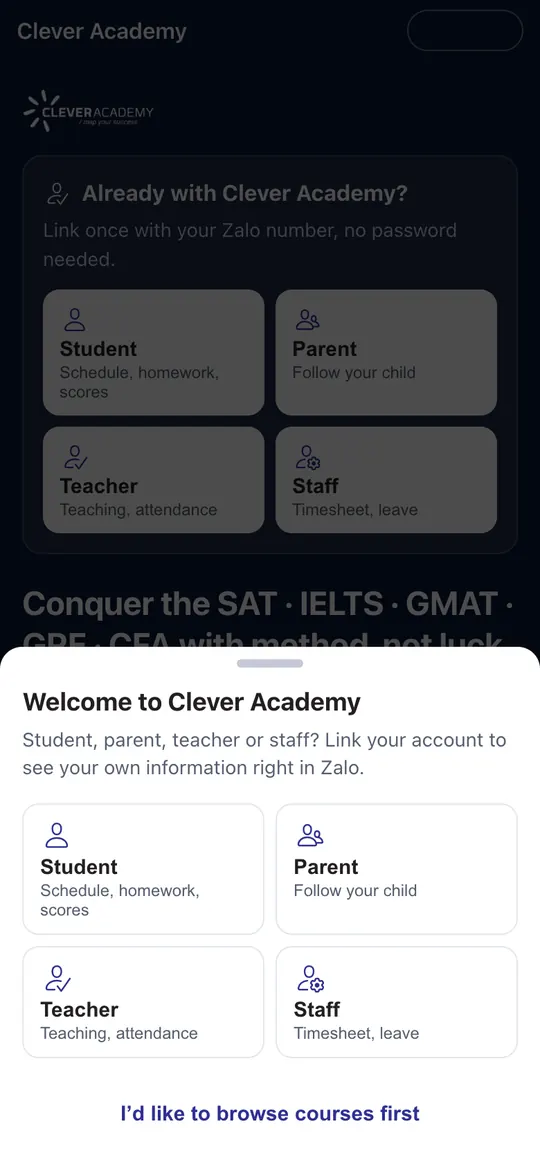 1Open the Mini App
Scan the QR code or tap “Open in Zalo”. The first time, choose whether you are a student, parent, teacher or staff - or tap “I’d like to browse courses first”.
-
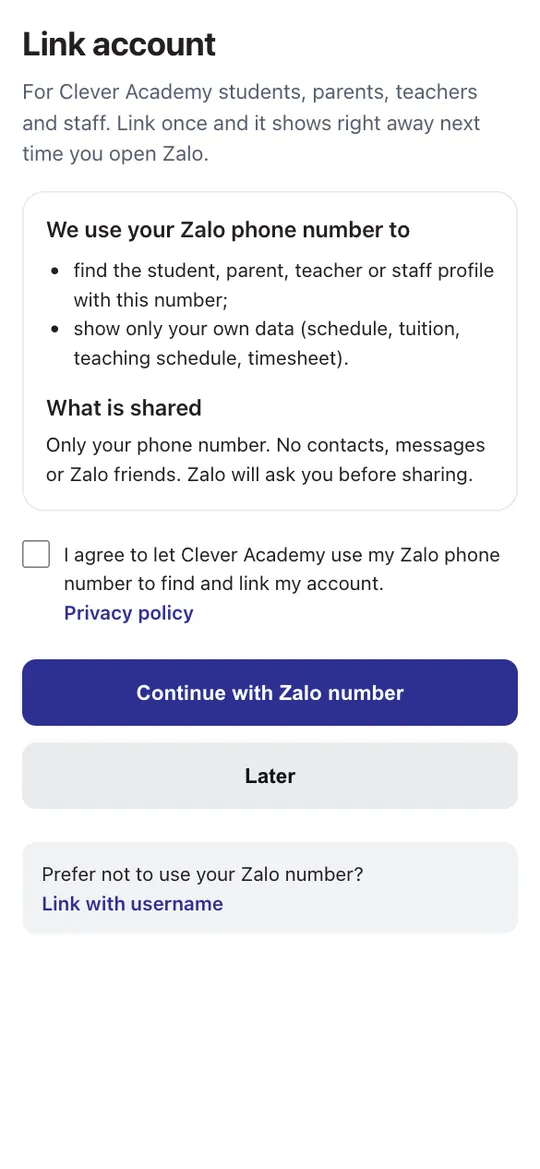 2Link with your Zalo number
Read the explanation, tick the consent box and tap “Continue with Zalo number”. Zalo asks whether you allow sharing your phone number.
-
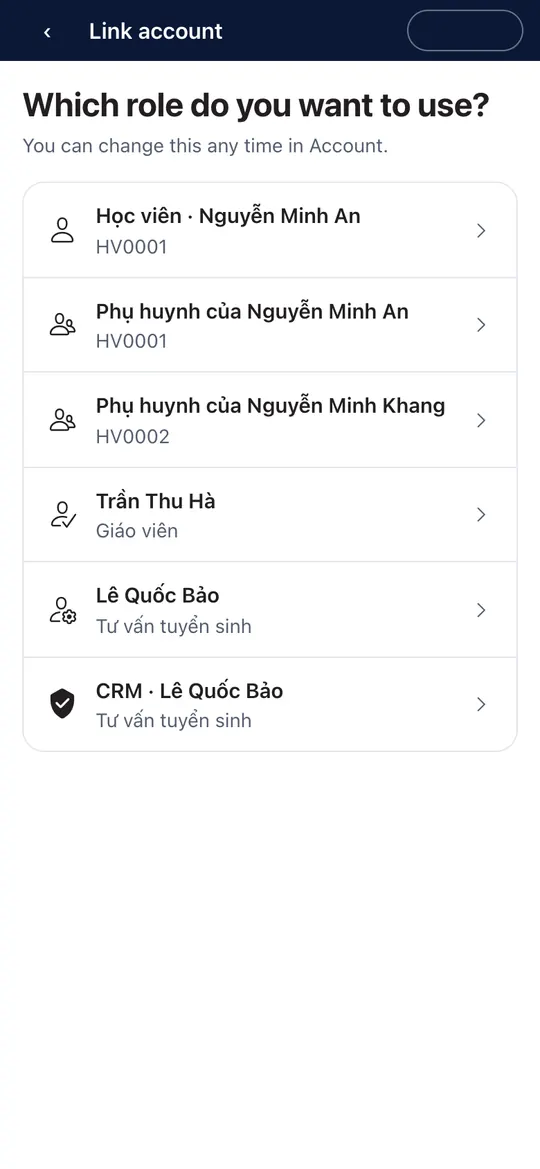 3Choose an account
We find every profile that uses this number (e.g. both a parent and a student). Pick one - switch any time under Account.
-
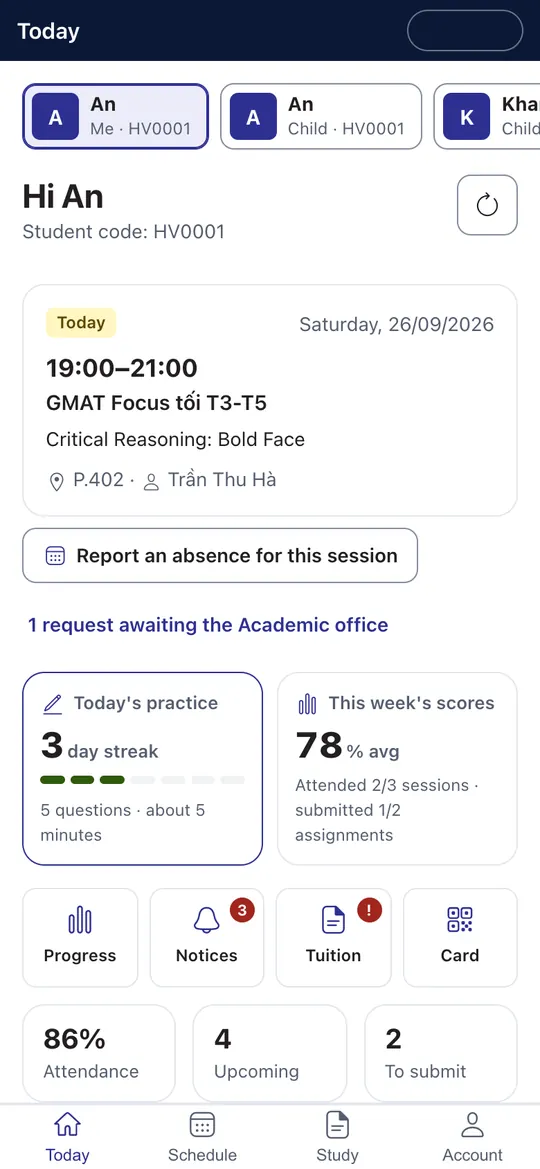 1Home
1HomeYour next session, to-dos, practice streak and this week’s scores - right when you open the app.
-
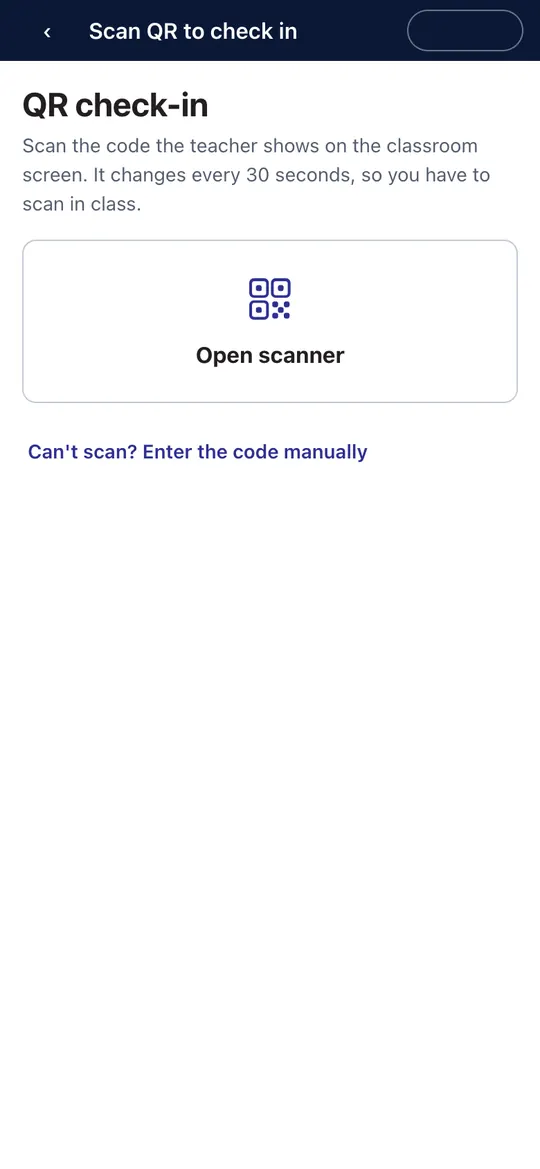 2QR check-in
In class, tap “Open scanner” and scan the code your teacher shows. If scanning fails, type the 6-digit code.
-
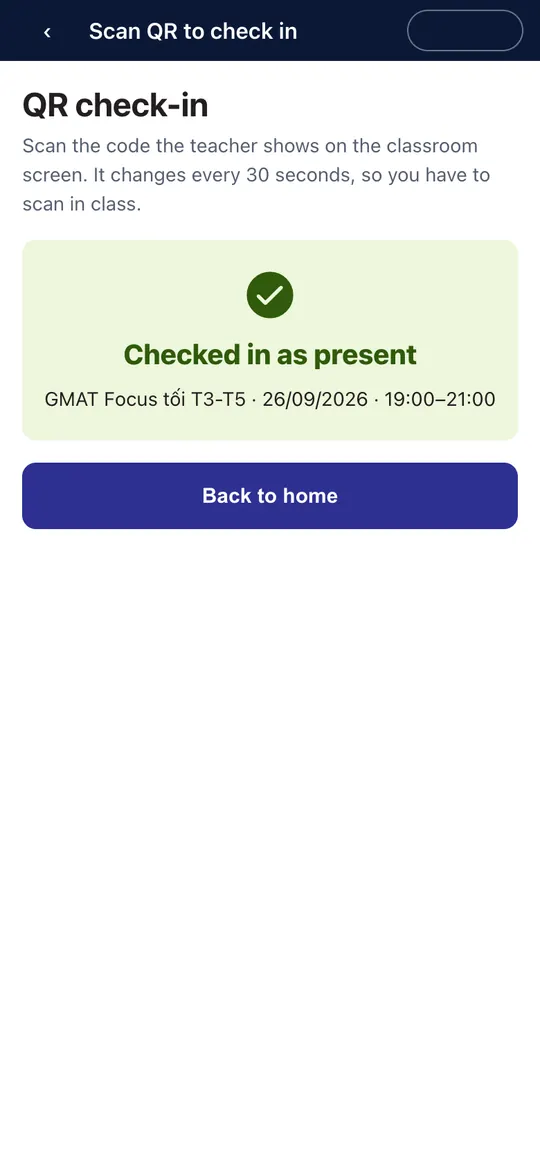 3Checked in
Done instantly - your teacher sees you as “Present” on the class screen.
-
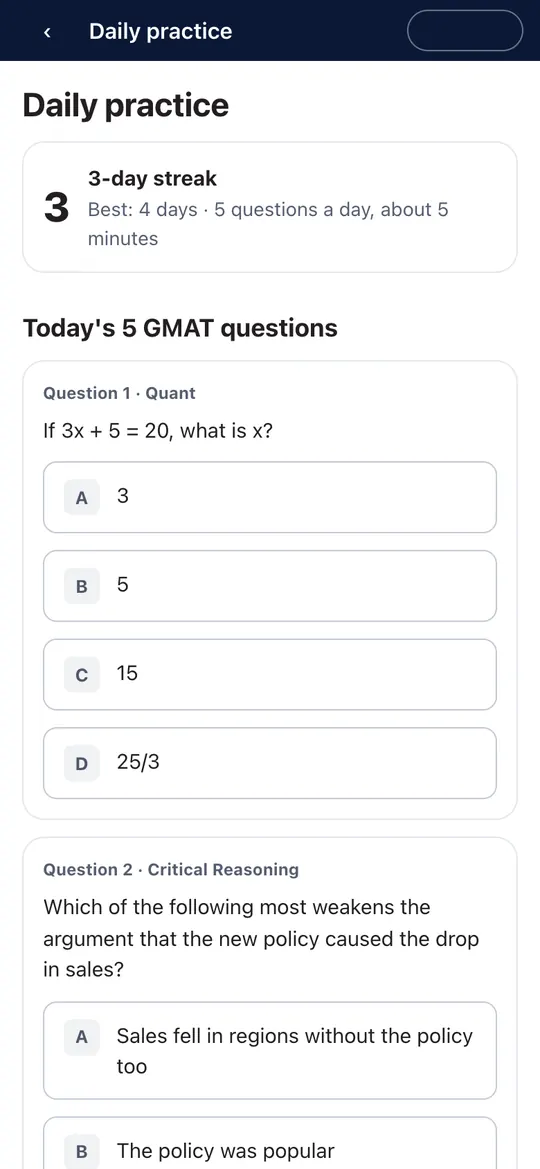 45 questions a day
Five questions a day for your exam, marked instantly; keep your streak to earn badges.
-
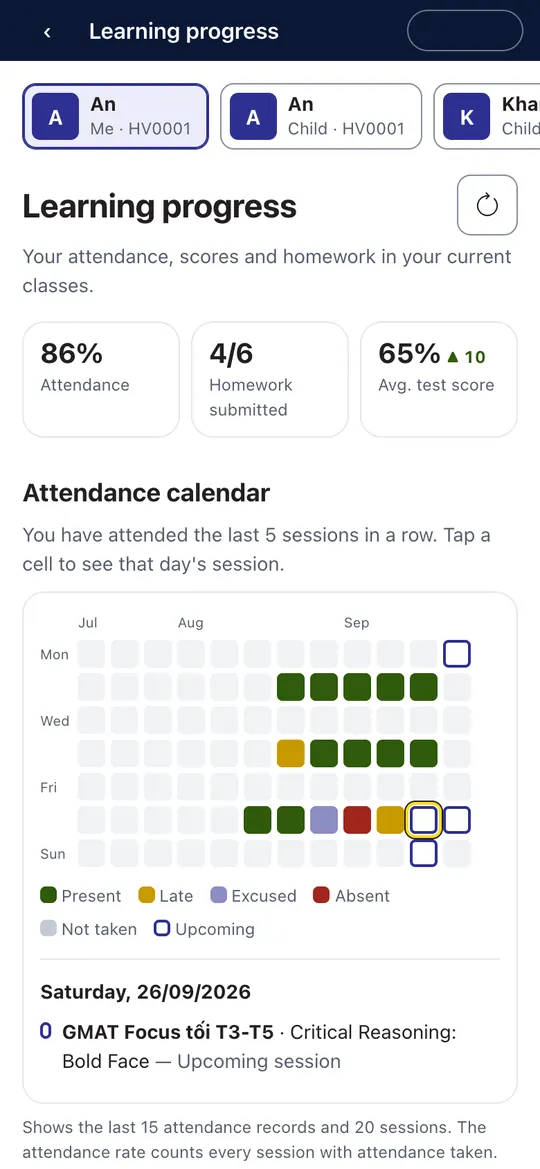 5Learning progress
Attendance, homework submitted, quiz scores and a session-by-session attendance calendar.
-
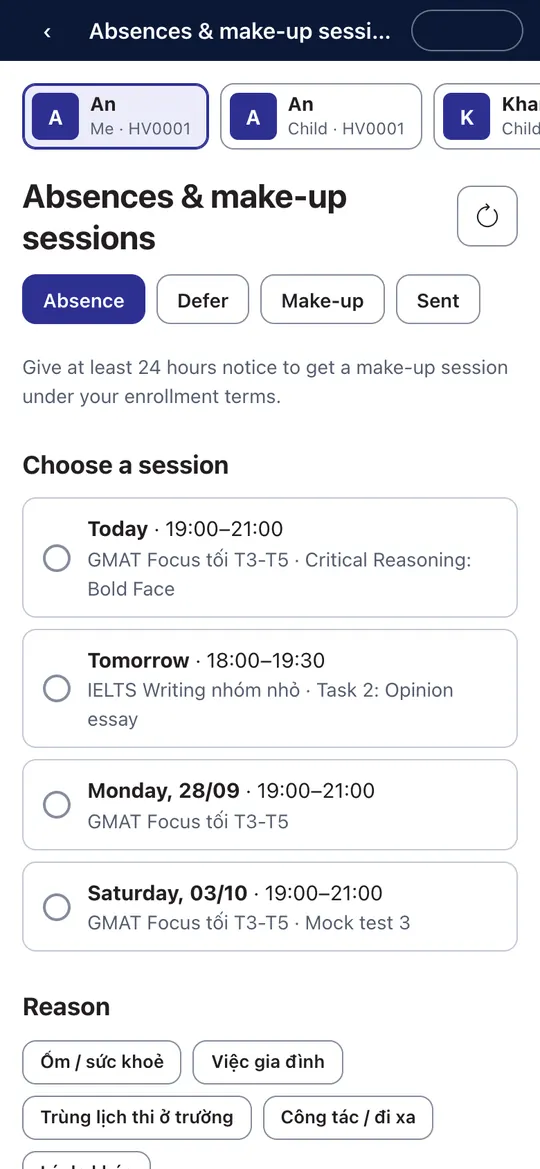 6Absence, deferral, make-up
Pick the session and a reason - your teacher and the academic team are notified at once. Give at least 24 hours’ notice.
-
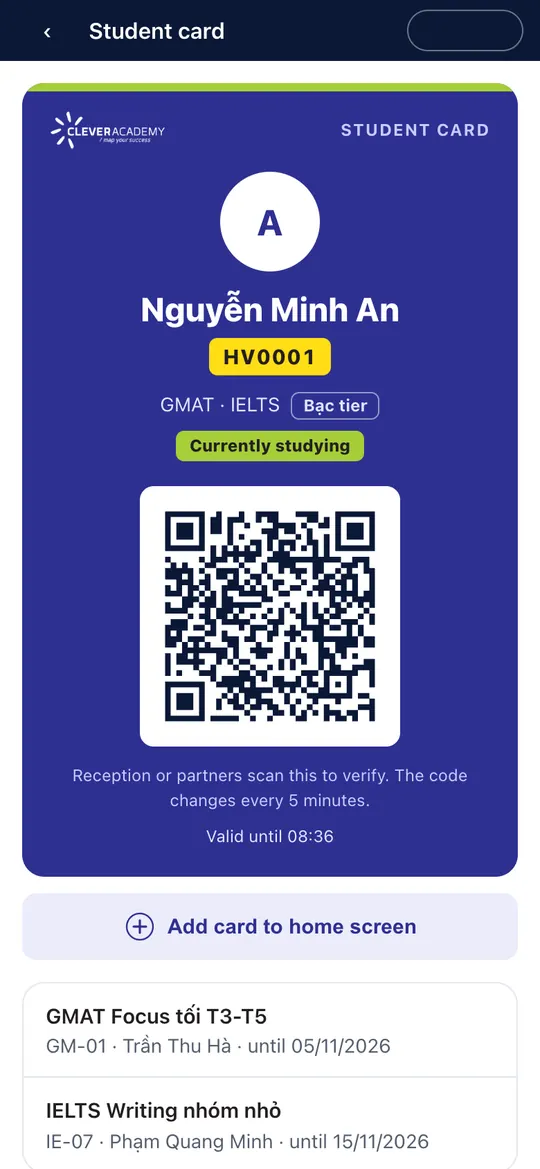 7Digital student card
Let the front desk or a partner scan the QR code to confirm you are currently studying. The code refreshes every few minutes.
-
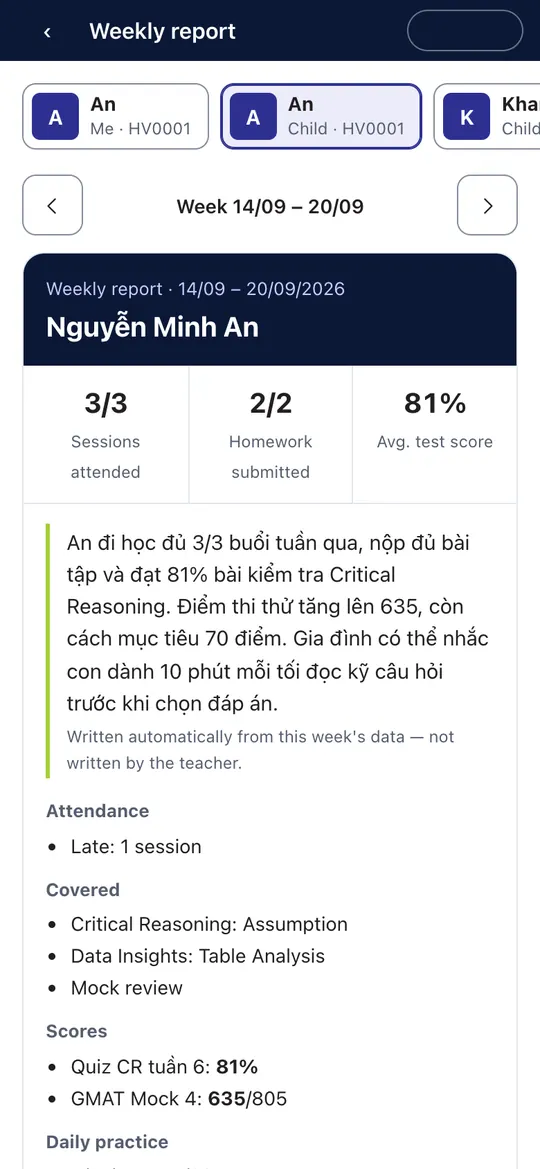 1Weekly report
One card a week: sessions attended, homework, scores and comments - with a short summary. Several children: tap a name to switch.
-
2Report an absence
Your child is ill or busy: pick the session, pick a reason, send. This is the only thing parents do on the child’s behalf in the app.
-
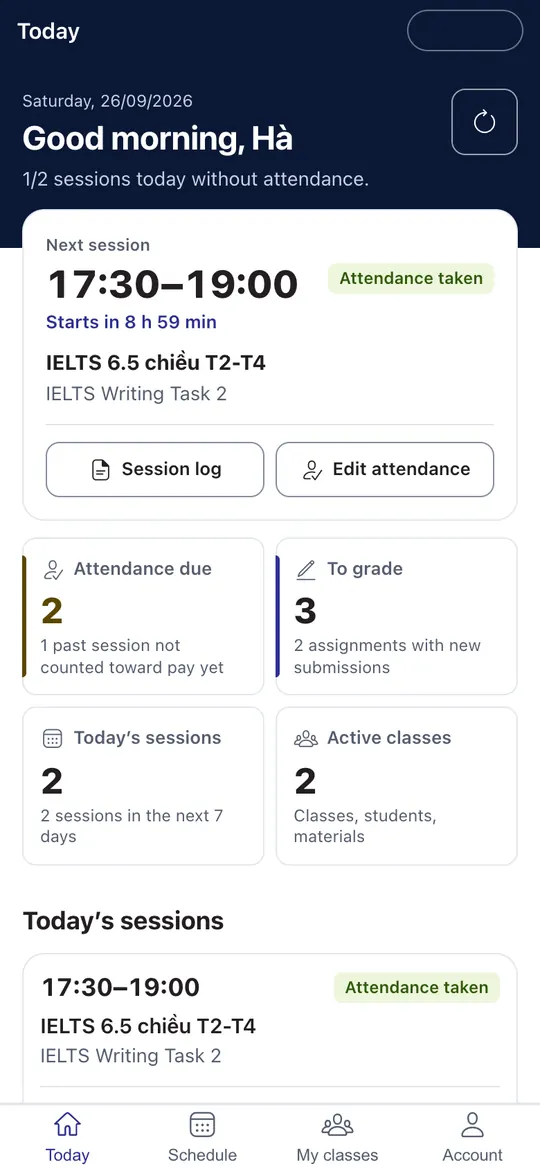 1Today
Your next session with a countdown, sessions missing attendance, work to grade, classes you teach.
-
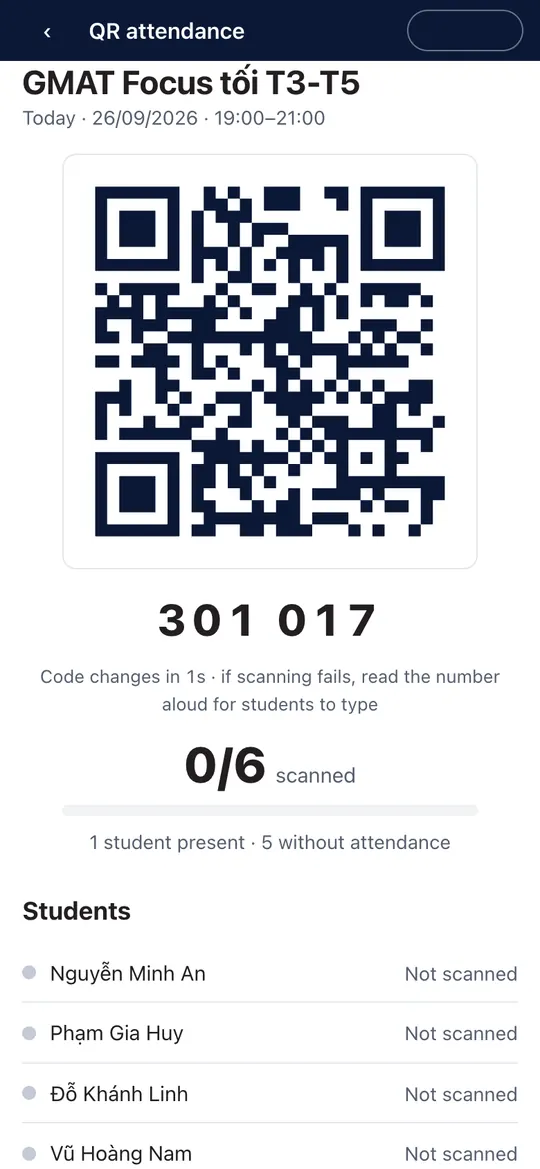 2Open the attendance QR
Show the code for the class to scan; the scanned count goes up live. Students without a phone are marked by hand as before.
-
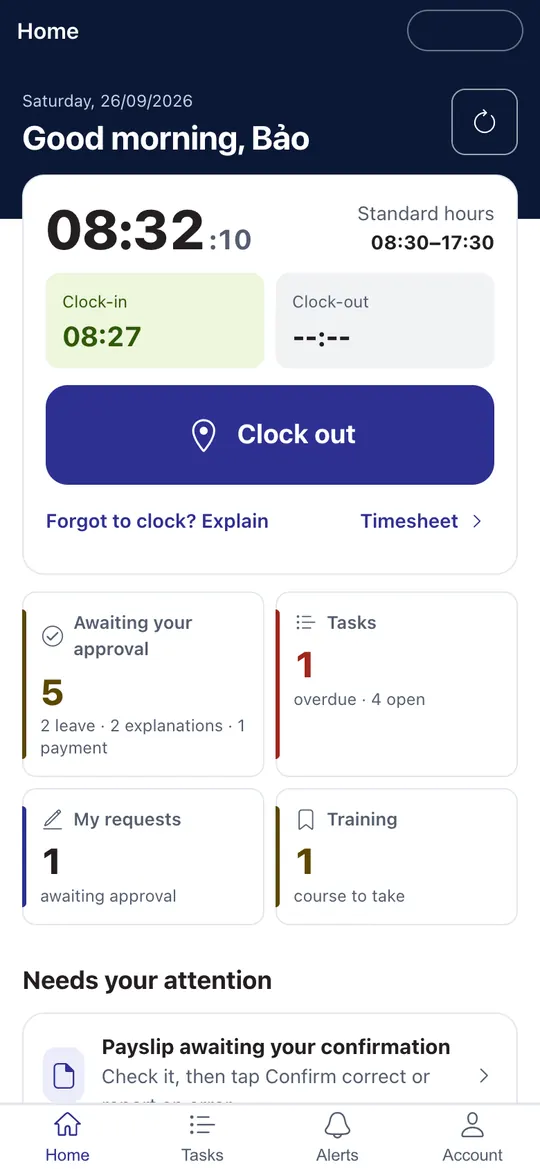 1Clock in
Tap “Clock in / Clock out” at the campus - Zalo asks for your location only at that moment. Outside the radius, send an explanation.
-
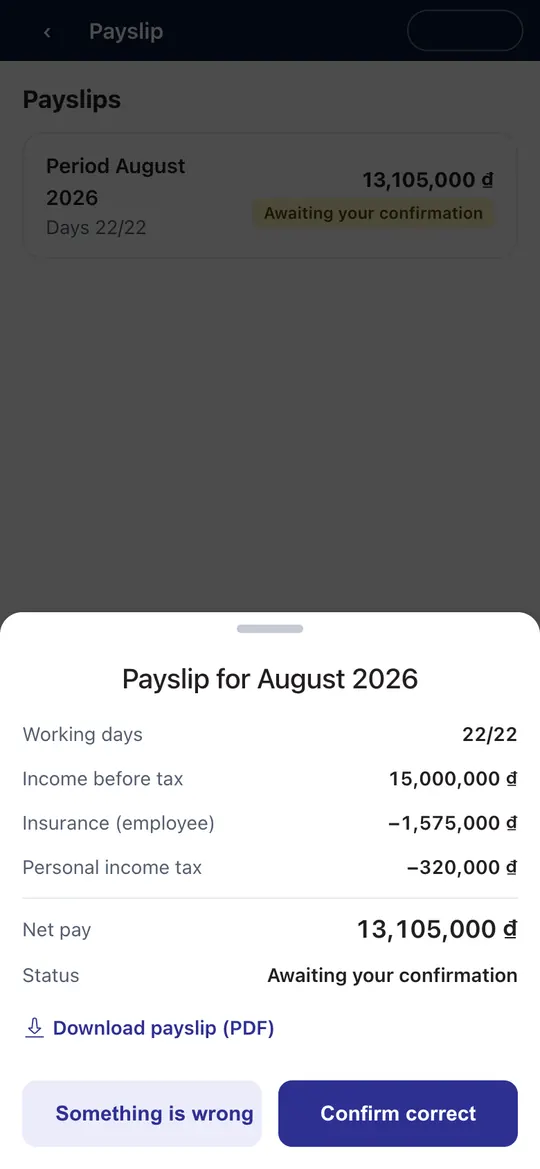 2Payslip
See the details, download the PDF, then tap “Confirm correct” or “Something is wrong”.
-
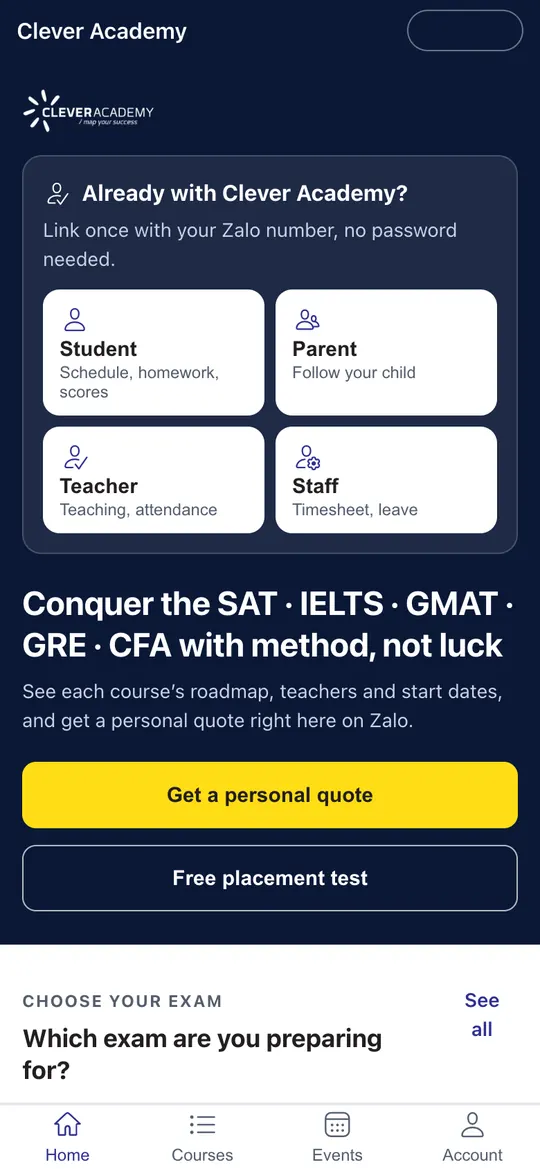 1Home
1HomePick the exam you are interested in; browse courses, teachers, upcoming classes and events.
-
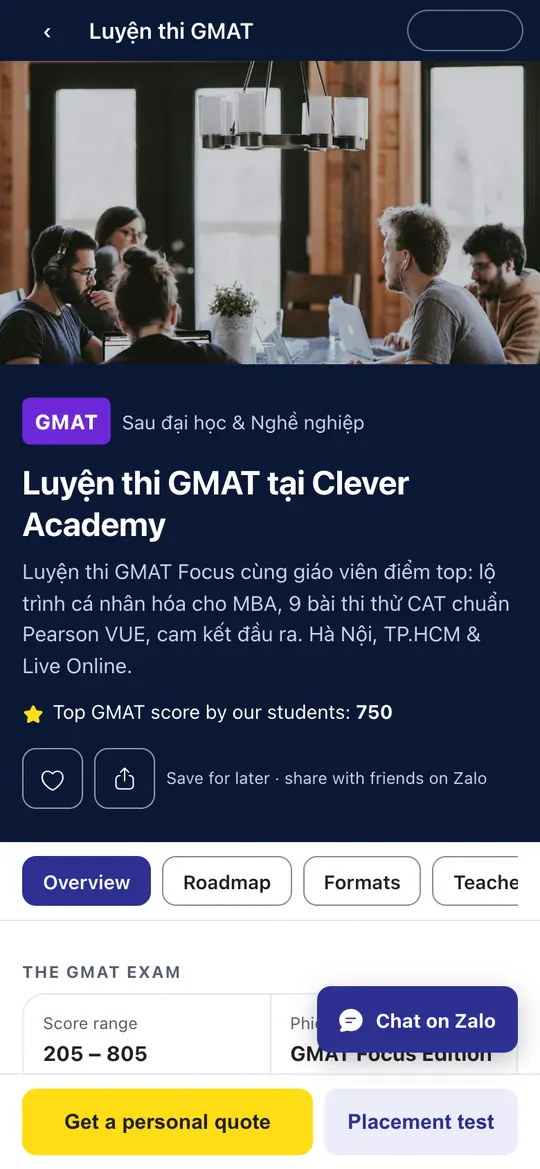 2Course details
The exam, the roadmap, formats, teachers and real student scores.
-
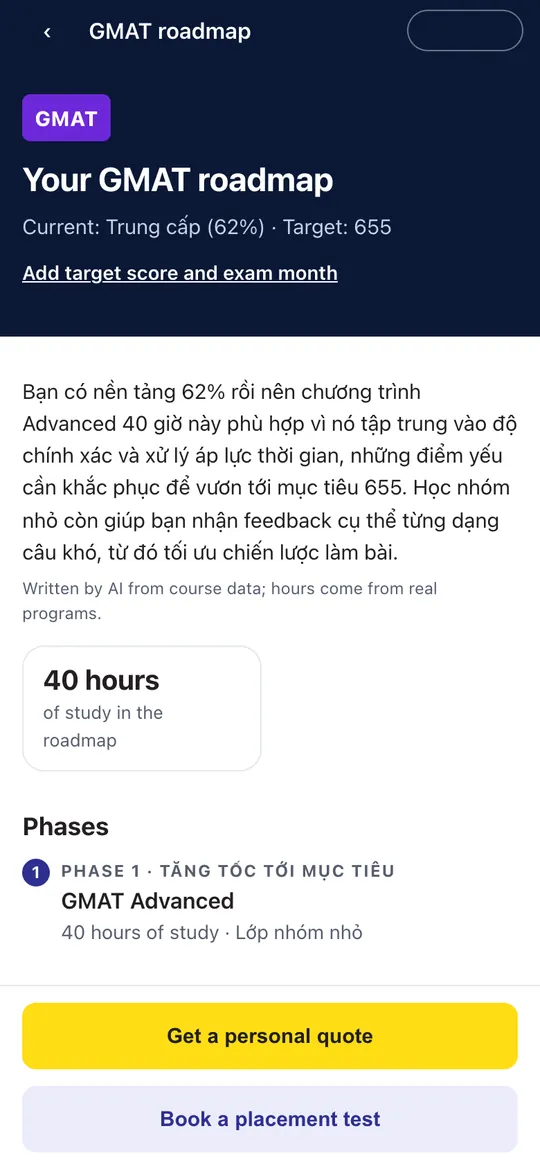 3Your roadmap
After the placement test: phases, study hours and matching upcoming classes.
-
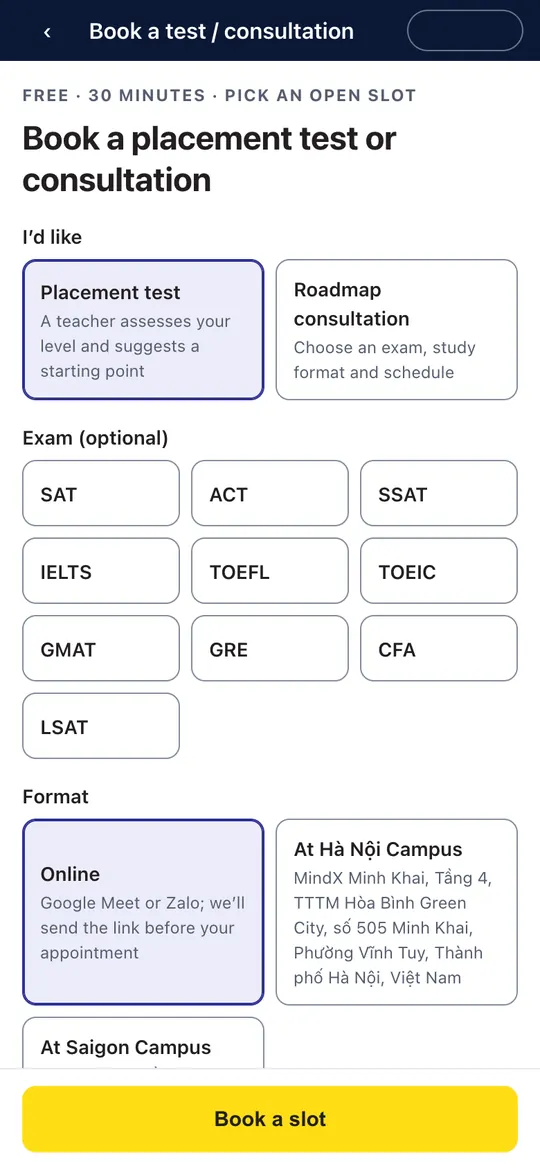 4Book a test or consultation
Choose online or a campus and an open time - free, 30 minutes.
Screenshots from the Mini App (iPhone). Visitor screens show real Clever Academy data; student, parent, teacher and staff screens use sample data.
Permissions only when you need them
Your phone number is requested only when you link an account or quick-fill the consultation form; location only when staff clock in. The Mini App never reads contacts or messages, and you can delete your Zalo data any time. See the Mini App terms of use and our Personal Data Protection Policy.
Quick questions about the Mini App
Is it free?
Yes. The Mini App is free and runs inside Zalo on your phone.
I am not a Clever Academy student yet. Can I use it?
Yes. Browse courses, upcoming classes and events, take the placement test and get a personal quote without signing in.
My Zalo number is different from the one I registered with?
Choose “Link with username” and use your Student Portal or MyCleverAcademy account. Or message us to update the phone number on your profile.
Can I pay tuition in the Mini App?
No. The Mini App only shows your tuition so you can keep track; payment follows your enrolment form and the Clever Academy payment policy.
What data does the Mini App use?
It asks for your phone number only when you link an account or quick-fill the consultation form, for location only when staff clock in, and opens the QR scanner only when you tap scan. It never reads contacts or messages and never stores camera images. Delete your Zalo data any time under Account → “Delete my Zalo data”.
Is the Mini App in English?
Yes. The Mini App follows your Zalo language, and you can switch any time under Account → Language. Course content and names from our records may stay in Vietnamese.